
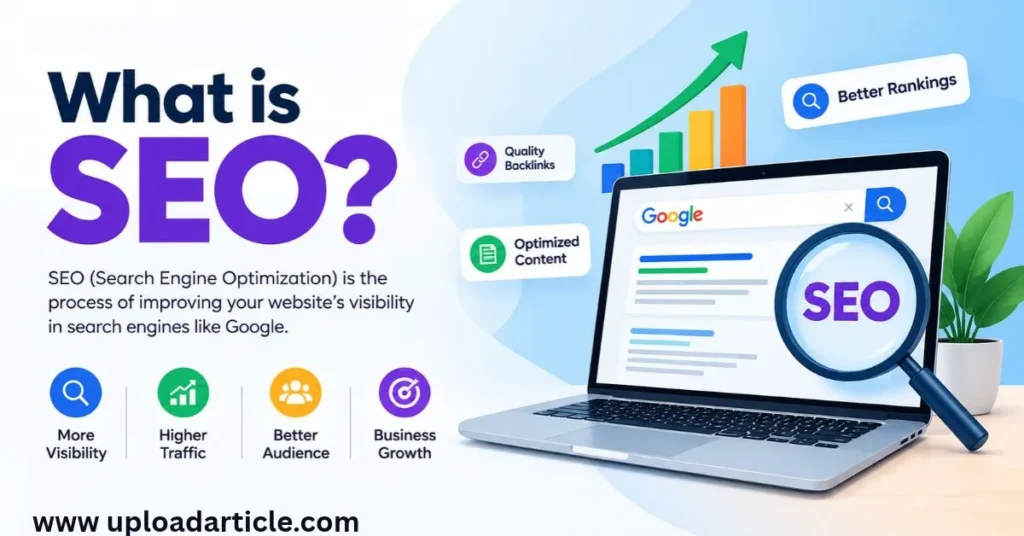
Search engine optimization (SEO) helps people discover relevant website content through search engines such as Google. When someone searches for an answer, product, or service, search engines try to show pages that best match the query.
For website owners, SEO can help attract visitors who are actively looking for information related to their content or business. However, SEO is not a quick trick for reaching the top of search results. It involves creating useful content, maintaining a technically accessible website, and helping search engines understand each page.
This SEO guide for beginners explains the basics of search engine optimization and provides a practical framework you can use on your own website.
What Is SEO?
SEO is the process of improving a website’s visibility in organic, unpaid search results.
For example, imagine you publish a guide about choosing web hosting. Someone searches for “how to choose web hosting for a small website.” If your page provides a clear, accurate, and useful answer, a search engine may consider it relevant to that query.
SEO can involve several activities:
-
Researching what your audience searches for.
-
Creating helpful and original content.
-
Writing descriptive page titles and headings.
-
Improving internal links and website navigation.
-
Making pages accessible to search engine crawlers.
-
Monitoring search performance and fixing technical problems.
No SEO technique guarantees a first-place ranking. Search engines use many systems to assess and rank pages, and results can change over time.
How Do Search Engines Work?
Understanding the basic search process makes SEO easier to learn.
Crawling
Search engines use automated programs, commonly called crawlers, to discover pages and follow links across the web.
A website with clear navigation and crawlable links can make it easier for search engines to discover its content.
Indexing
After discovering a page, a search engine may analyze its content and other information to determine whether and how to store it in its index.
Not every discovered page is necessarily indexed. Duplicate content, technical restrictions, and other factors may affect indexing.
Ranking
When someone searches, the search engine selects and orders results based on numerous signals and systems. Relevance to the query, content quality, and other factors can influence which pages appear.
Publishing a page does not guarantee that it will be indexed or rank for a particular keyword.
What Are the Main Types of SEO?
SEO is commonly divided into three major areas.
On-Page SEO
On-page SEO focuses on the content and elements of individual pages.
Examples include:
-
Writing a clear, descriptive page title.
-
Using headings to organize the information.
-
Answering the reader’s question thoroughly.
-
Adding relevant internal links.
-
Using descriptive image alt text where appropriate.
-
Writing a concise, accurate meta description.
For example, an article about keyword research should explain how to identify relevant search terms, assess their intent, and use them in a content plan.
Technical SEO
Technical SEO focuses on whether search engines can access, understand, and process your website effectively.
Important areas include:
-
Crawlability and indexing.
-
XML sitemaps.
-
Robots.txt configuration.
-
Canonical URLs and duplicate page handling.
-
Mobile usability and page experience.
-
Website security and appropriate redirects.
Technical SEO does not mean changing settings without a reason. Always check what a setting does before applying it, particularly if it could block important pages from search engines.
Off-Page SEO
Off-page SEO includes activities outside your own website that can support its reputation and visibility.
One commonly discussed area is link building: earning links from other relevant websites.
Useful resources, original research, helpful guides, and genuine industry relationships can give other publishers reasons to reference your content. Avoid buying large numbers of manipulative links or participating in schemes designed primarily to influence rankings.
How to Do Keyword Research
Keyword research helps you understand what your potential readers want to find.
Step 1: Start With Your Topic
Choose a broad subject related to your website.
If your website covers SEO, possible starting topics include keyword research, on-page optimization, technical SEO, and link building.
Step 2: Find Relevant Search Terms
Use search suggestions, keyword research tools, and questions that your audience asks.
For example, a topic about keyword research could lead to these searches:
-
What is keyword research?
-
How to find long-tail keywords.
-
How to choose a primary keyword.
-
What is search intent?
These searches may represent different needs, so assess them individually before deciding whether they belong in one article or several.
Step 3: Understand Search Intent
Search intent is the purpose behind a search.
Common categories include:
-
Informational: The user wants to learn something.
-
Navigational: The user wants to reach a specific website or page.
-
Commercial investigation: The user is comparing options before making a decision.
-
Transactional: The user wants to complete an action, such as buying something.
Your content should match the purpose of the query. A beginner asking what SEO means needs an explanation, while someone comparing SEO tools may need a detailed comparison.
Step 4: Evaluate Competition
Search for your target keyword and review the pages already ranking.
Look at their content depth, structure, freshness, and usefulness. Identify questions they have not answered well and opportunities to provide clearer explanations, better examples, or original information.
Keyword difficulty scores can help with planning, but they are estimates rather than guarantees of ranking difficulty.
Step 5: Choose One Primary Topic
Select a clear primary keyword or search intent for each article. Include related phrases naturally when they fit the content.
Avoid repeating the same phrase excessively. Google’s guidance specifically warns against keyword stuffing.
How to Optimize a Website Page
Once you have selected a topic, use the following workflow.
Write a Clear Title
The title should accurately describe the page and help readers understand what they will learn.
For example:
“Keyword Research for SEO: A Step-by-Step Guide”
This is more descriptive than a vague title such as “Everything You Need to Know.”
Structure the Content With Headings
Use one clear main heading and organize the article into logical sections. Supporting headings should make it easy for readers to scan the page and find relevant information.
Do not add headings simply to insert keywords.
Create Helpful, Original Content
Answer the main question early, then explain the details with practical examples.
If your article explains how to improve a website’s indexing, include steps for checking indexing status and identifying possible technical issues. Avoid making claims you cannot support.
Add Relevant Internal Links
Internal links connect pages on your own website.
For example, an SEO beginner’s guide can link to separate articles about keyword research, internal linking, technical SEO, and image optimization.
Use descriptive anchor text so readers understand what they will find after clicking.
Optimize Images and URLs
Use relevant, descriptive image filenames and appropriate alt text for meaningful images. Keep URLs readable and relevant to the page topic.
A meta description can summarize the page and encourage the right readers to visit. Search engines may generate a different snippet depending on the query.
How to Build Topical Authority With Content Clusters
A content cluster is a group of closely related articles organized around a central topic.
For example, an SEO cluster could include:
-
A main guide to SEO for beginners.
-
A keyword research guide.
-
An on-page SEO checklist.
-
A technical SEO guide.
-
An internal linking guide.
-
A link-building guide.
The main guide introduces the subject and links to more detailed articles. Those supporting articles link back to the main guide where appropriate and connect to one another when useful.
This structure helps readers explore a subject in depth and helps search engines discover related pages. However, publishing a specific number of articles does not automatically establish authority or guarantee rankings.
How to Measure SEO Performance
Google Search Console is a useful starting point for monitoring your website’s search performance.
You can use it to review:
-
Impressions: How often your pages appeared in search results.
-
Clicks: How often people clicked through from search results.
-
Click-through rate: The proportion of impressions that resulted in clicks.
-
Average position: A reported average ranking position for selected search data.
-
Indexing information: Reports and tools that help diagnose how Google processes pages.
You can also use website analytics to examine visitor behavior and conversions.
Review performance over time rather than making decisions based on one day’s fluctuations. Some SEO changes may take weeks or months to show an effect.
Common SEO Mistakes to Avoid
Beginners should avoid copying competitors, creating multiple pages targeting exactly the same search intent, stuffing keywords into headings, buying manipulative backlinks, and expecting immediate rankings.
Another mistake is publishing content simply to reach a particular word count. The right length depends on the reader’s needs; a useful explanation is better than unnecessary repetition.
Conclusion
SEO helps search engines discover and understand your website while helping people find relevant content. The foundations include useful content, thoughtful keyword research, appropriate on-page optimization, technical accessibility, relevant internal links, and consistent measurement.
Start with a few important pages, improve them carefully, and expand your content into connected topic clusters. Focus on answering real questions rather than trying to manipulate search rankings.
Suggested internal links to add later: Keyword research guide, on-page SEO checklist, technical SEO guide, internal linking guide, and Google Search Console guide.