
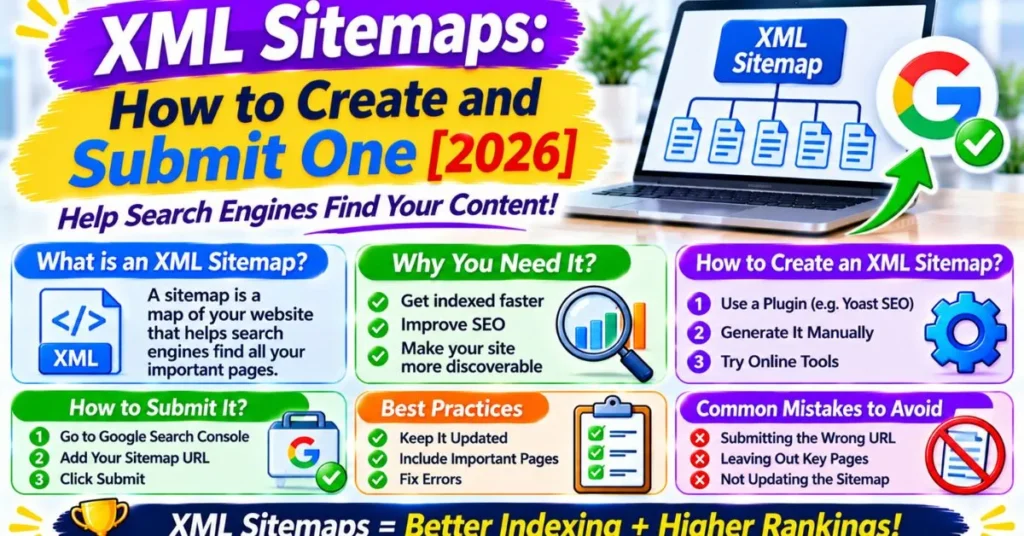
Search engines use automated programs called crawlers to discover and understand pages across the internet. However, finding every important page on a website can sometimes be difficult, especially when a website contains hundreds of articles, complicated navigation, or recently published content. An XML sitemap helps search engines discover important URLs more efficiently.
If you want search engines to understand your website structure, learning about XML sitemaps is an important part of technical SEO. A properly configured sitemap provides information about the pages, images, and other supported content that website owners want search engines to discover.
In this guide, you will learn what an XML sitemap is, why it matters, how to create one, how to submit it to Google Search Console, and how to avoid common sitemap mistakes.
What Is an XML Sitemap?
An XML sitemap is a structured file that lists important URLs on a website. It helps search engines discover pages that may otherwise be difficult to find through normal website navigation and internal links.
XML stands for Extensible Markup Language. This format organizes information using tags so that search engines can read and process the data.
A typical XML sitemap contains URLs that a website owner wants search engines to discover. It may also include additional information, such as when a page was last modified.
For example, a blog sitemap might include:
- Homepage
- About page
- Contact page
- Blog articles
- Category pages
- Important service pages
An XML sitemap does not guarantee that Google will crawl, index, or rank every listed URL. It simply provides search engines with useful discovery information.
Why Is an XML Sitemap Important for SEO?
An XML sitemap supports technical SEO by helping search engines discover important website URLs.
Although search engines can discover many pages through internal links, sitemaps can be especially useful for large websites, new websites, and websites with frequently updated content.
1. Helps Search Engines Discover Pages
Some website pages may have few internal links or may be difficult to discover through normal navigation. A sitemap provides another way for search engines to find those URLs.
2. Supports New Website Content Discovery
When you publish a new article, its URL can be included in your sitemap. This helps search engines discover the new page.
However, inclusion does not guarantee immediate crawling or indexing.
3. Helps Manage Large Websites
Websites containing hundreds or thousands of URLs can benefit from organized sitemap files. Search engines can use these files to discover important sections of the website.
4. Supports Content Updates
Sitemaps can include a last-modified date when it accurately reflects a meaningful content update. This information may help search engines understand when a page has changed.
5. Improves Website Organization
Creating a sitemap encourages website owners to review which pages are important and should be available for search engine discovery.
What Does an XML Sitemap Look Like?
An XML sitemap uses structured tags to list website URLs.
A simplified example looks like this:
<?xml version="1.0" encoding="UTF-8"?>
<urlset xmlns="http://www.sitemaps.org/schemas/sitemap/0.9">

  <url>
    <loc>https://example.com/</loc>
    <lastmod>2026-11-20</lastmod>
  </url>

  <url>
    <loc>https://example.com/about/</loc>
    <lastmod>2026-11-18</lastmod>
  </url>

  <url>
    <loc>https://example.com/blog/</loc>
    <lastmod>2026-11-15</lastmod>
  </url>

</urlset>
The main tags include:
<urlset>: Contains the sitemap’s URL entries.<url>: Represents an individual URL.<loc>: Specifies the page address.<lastmod>: Indicates the page’s last modification date when provided accurately.
The example uses placeholder URLs. Your actual sitemap should contain your own website addresses.
Types of XML Sitemaps
Different sitemap formats support different website content.
1. Standard XML Sitemap
A standard XML sitemap lists website URLs. It is commonly used for blogs, business websites, and informational websites.
2. Image Sitemap
An image sitemap provides additional information about images associated with website pages. It can be useful for websites that rely heavily on image content.
3. Video Sitemap
A video sitemap provides information about video content, helping search engines understand videos published on a website.
4. News Sitemap
Eligible news publishers can use specialized news sitemap information to help search engines discover recently published news articles. Specific eligibility and technical requirements apply.
5. Sitemap Index
A sitemap index is a file that references multiple sitemap files. It is useful for large websites that need to organize URLs into separate sitemap files.
How to Create an XML Sitemap
There are several ways to create an XML sitemap. The best method depends on your website platform and technical experience.
Method 1: Create a Sitemap Using WordPress
WordPress websites can generate XML sitemaps automatically through built-in functionality or SEO plugins.
Follow these steps:
- Log in to your WordPress dashboard.
- Check whether your SEO plugin generates an XML sitemap.
- Open the plugin’s sitemap settings.
- Enable the sitemap feature if necessary.
- Visit the sitemap address shown by the plugin.
- Review the URLs included in the sitemap.
Common WordPress SEO plugins include Yoast SEO and Rank Math.
The default WordPress sitemap is also commonly available at:
https://example.com/wp-sitemap.xml
Replace the example domain with your own website address.
Method 2: Create a Sitemap Using an Online Generator
Website owners can use an XML sitemap generator to create a sitemap without manually writing XML code.
A general process is:
- Open a reputable sitemap generator.
- Enter your website URL.
- Allow the tool to discover accessible pages.
- Generate the XML file.
- Download the sitemap.
- Upload it to the website’s root directory.
- Test the sitemap URL in a browser.
Check the generated URLs before submitting the file. Some generators may include pages that should not be indexed.
Method 3: Create an XML Sitemap Manually
Developers can manually create an XML sitemap for websites with specific technical requirements.
They need to use the correct XML structure, include valid URLs, and follow search engine sitemap guidelines.
Manual sitemap creation is usually unnecessary for a standard WordPress blog, but it can be useful for custom websites.
How to Submit an XML Sitemap to Google Search Console
After creating your sitemap, you can submit its location through Google Search Console.
Follow these steps:
- Open Google Search Console.
- Select your verified website property.
- Find the Sitemaps section in the navigation.
- Enter your sitemap URL.
- Click Submit.
- Review the submission status.
- Check for errors or warnings.
For example, your sitemap might be available at:
https://example.com/sitemap_index.xml
or:
https://example.com/wp-sitemap.xml
Use the exact sitemap address generated by your website.
How to Check Sitemap Status
After submission, Google Search Console provides information about the sitemap, including its processing status and discovered URLs.
If Google reports an error, review the sitemap address, server response, XML format, and URL accessibility.
Remember that successful sitemap submission does not guarantee that all listed pages will be indexed.
XML Sitemap Best Practices
Following sitemap best practices helps search engines process your sitemap correctly.
Include Important URLs
Focus on canonical pages that you want search engines to discover and potentially index.
Use Canonical URLs
Include the preferred version of each page rather than duplicate URLs with different parameters or variations.
Avoid Redirected URLs
Do not unnecessarily list URLs that redirect to other addresses. Include the final canonical destination instead.
Exclude Noindex Pages
Generally, avoid including pages that contain a noindex directive because they are not intended for search engine indexing.
Keep Your Sitemap Updated
Your sitemap should reflect the current website structure and important content.
Use Accurate Last-Modified Dates
Only update the last-modified date when meaningful page content changes. Do not change it automatically just to make a page appear fresh.
Follow Sitemap Size Limits
A single sitemap file can contain up to 50,000 URLs and must be no larger than 50 MB uncompressed. Larger websites can use multiple sitemap files and a sitemap index.
Common XML Sitemap Errors
Website owners sometimes experience sitemap errors after changing website settings, installing plugins, or modifying URL structures.
Here are some common problems.
Incorrect sitemap URL: The submitted address may not exist or may contain a spelling mistake.
404 error: The sitemap file cannot be found at the submitted location.
Server error: The website server may fail to deliver the sitemap.
Invalid XML: Incorrect formatting can prevent search engines from processing the file.
Blocked sitemap: Robots.txt rules or server restrictions may prevent search engines from accessing the sitemap.
Non-canonical URLs: The sitemap may contain duplicate or alternative versions of pages.
Noindex URLs: The sitemap may list pages that are intentionally excluded from indexing.
Review these problems in Google Search Console and correct the underlying issue.
XML Sitemap vs. HTML Sitemap
An XML sitemap and an HTML sitemap have different purposes.
| Feature | XML Sitemap | HTML Sitemap |
|---|---|---|
| Main audience | Search engines | Website visitors |
| Format | XML | HTML |
| Purpose | URL discovery | Website navigation |
| Display | Usually not designed for visitors | Visible on a webpage |
| SEO role | Supports crawling and discovery | Supports navigation and internal linking |
Both can be useful, but they should not be confused with each other.
Conclusion
XML sitemaps are an important part of technical SEO because they help search engines discover important website pages. They are especially useful for new websites, large blogs, and websites that publish content regularly.
You can create a sitemap through WordPress, an online generator, or manual XML code. After creating it, submit the sitemap through Google Search Console and monitor its processing status.
Remember that an XML sitemap supports discovery, not guaranteed rankings or indexing. Combine it with clear website navigation, quality content, relevant internal links, and proper technical SEO to build a healthier website structure.
Frequently Asked Questions About XML Sitemaps
1. What is an XML sitemap in SEO?
An XML sitemap is a structured file containing important website URLs. It helps search engines discover pages and understand which URLs a website owner wants them to find.
2. Does every website need an XML sitemap?
Not every website requires one. Small websites with strong internal linking may already be easy for search engines to discover. However, a sitemap is generally useful for new, large, or frequently updated websites.
3. How do I find my WordPress sitemap?
Common WordPress sitemap addresses include /wp-sitemap.xml, /sitemap_index.xml, and /sitemap.xml. The correct address depends on your WordPress configuration and installed SEO plugins.
4. Does submitting a sitemap guarantee indexing?
No. Sitemap submission helps Google discover URLs, but Google decides whether and when to crawl and index individual pages.
5. How often should I update my XML sitemap?
Your sitemap should update when relevant pages are added, removed, or meaningfully changed. Most WordPress sitemap systems handle this automatically.
6. Can I submit multiple XML sitemaps?
Yes. A website can submit multiple sitemap files. A sitemap index can also reference several individual sitemap files.
7. Should noindex pages be included in a sitemap?
Generally, no. Sitemaps should focus on canonical URLs that you want search engines to discover and potentially index.